TR
TR EN
EN

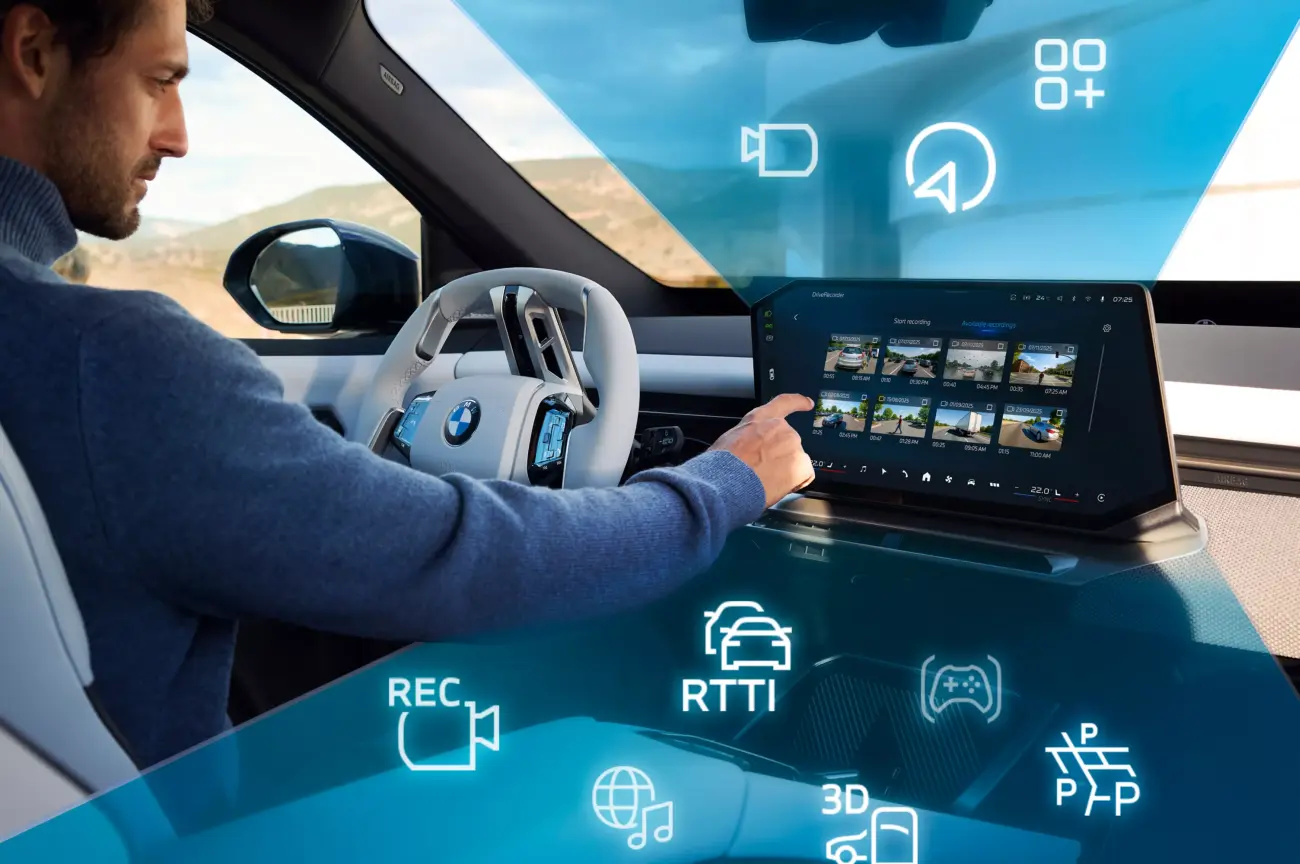
What Is BMW iDrive? How Does It Work and What Is It Used For?
Modern vehicles contain an increasing number of systems that allow the driver to interact with the car. Navigation, climate control, music, phone connectivity, vehicle settings, driving assistance systems, and various vehicle information can now be managed through centralized digital interfaces.
One of BMW's most important technologies in this area is iDrive.
Since its introduction, iDrive has evolved considerably. It has gone from being primarily an infotainment interface to becoming one of the central parts of the digital user experience in BMW vehicles.
Today, iDrive is used for much more than radio and navigation. Depending on the vehicle and iDrive generation, drivers can access vehicle settings, phone connectivity, camera functions, driving information, comfort features, and various connected services through the system.
What Is BMW iDrive?
BMW iDrive is BMW's vehicle interface and infotainment platform designed to allow various information, entertainment, communication, and vehicle functions to be controlled through a centralized system.
It was first introduced in the early 2000s. Early versions primarily used a rotary controller on the center console together with a central display. Over time, iDrive evolved to incorporate touchscreen displays, voice commands, steering-wheel controls, smartphone integration, and more advanced digital interfaces.
For this reason, iDrive should not be considered simply a screen or a control knob. It is a broader system that provides the digital interaction between the driver and many of the vehicle's electronic functions.
What Is BMW iDrive Used For?
The main purpose of iDrive is to provide centralized access to many vehicle functions while making them easier for the driver to operate.
Depending on the BMW model, equipment level, market, and iDrive generation, the system can provide access to functions such as:
-
Navigation
-
Radio and music
-
Bluetooth phone connectivity
-
Phone calls
-
Contacts and call history
-
Vehicle settings
-
Climate and comfort settings
-
Driving information
-
Vehicle status information
-
Rear-view and surround-view cameras
-
Parking assistance systems
-
Certain driving-assistance settings
-
Apple CarPlay and Android Auto
-
BMW ConnectedDrive services
-
Various software and connected-service functions
Not every BMW offers all of these features, and the available functions can vary significantly between models and model years.
How Does BMW iDrive Work?
iDrive operates as part of the vehicle's electronic architecture and processes commands received through several different control methods.
The driver may interact with the system using several interfaces.
iDrive Controller: The rotary controller on the center console is one of the most recognizable elements of older and mid-generation iDrive systems. The controller can be rotated to navigate through menus and pressed to select an option.
Touchscreen: Newer BMW models may feature a central touchscreen that allows the driver or passenger to interact directly with the system.
Steering-wheel controls: Functions such as volume, telephone controls, and media functions can be operated from the steering wheel.
Voice commands: Supported systems allow the driver to use voice commands for functions such as navigation, telephone, and media.
Gesture Control: Certain BMW models offer gesture control, allowing selected functions to be controlled using specific hand movements.
Several of these control methods can be available in the same vehicle.
What Is the BMW iDrive Controller?
The iDrive Controller is one of the most recognizable parts of the iDrive system.
Located on the center console, it allows the driver to navigate through menus without reaching toward the central display.
The controller can be rotated to move through menus and pressed to select an option. Depending on the vehicle, additional buttons around the controller can provide quick access to functions such as navigation, media, telephone, and the main menu.
Even as touchscreen displays have become more common, BMW has continued to use physical iDrive controllers in many models.
One advantage of a physical controller is that the driver can operate the system without constantly reaching toward the display.
BMW iDrive Generations
iDrive has gone through numerous generations, and there can be significant differences between an older BMW and a newer model.
BMW systems such as CCC, CIC, NBT, and NBT Evo were used during different periods and represent different generations of BMW's infotainment architecture.
Newer BMW models use more advanced infotainment and operating platforms.
It is important to understand that an iDrive system is not simply a software version. The display, control unit, operating system, connectivity features, and other electronic modules all form part of the overall system.
For this reason, when evaluating a BMW, it is more useful to ask which iDrive generation and hardware configuration it has rather than simply asking whether it has iDrive.
Is iDrive the Same as ConnectedDrive?
No.
iDrive refers primarily to the vehicle's user interface and infotainment system, while BMW ConnectedDrive represents a broader ecosystem of connected services and digital functions.
Depending on the vehicle, model year, market, and available equipment, ConnectedDrive can provide various online services, traffic information, remote vehicle information, navigation-related services, and other connected features.
Therefore, iDrive and ConnectedDrive are closely related, but they are not the same thing.
How Does Navigation Work With BMW iDrive?
Navigation is one of the most important functions available through iDrive.
BMW models equipped with a navigation system allow the driver to select a destination, calculate a route, and receive turn-by-turn guidance.
More advanced systems may provide traffic information, alternative routes, journey information, and various online services.
The exact navigation features depend on the iDrive generation, vehicle equipment, map data, software version, and available connected services.
BMW iDrive and Phone Connectivity
iDrive can integrate a smartphone with the vehicle, allowing the driver to access supported communication and media functions.
Bluetooth connectivity can be used for phone calls and, depending on the device and system, media playback.
Newer systems can also support smartphone integration technologies such as Apple CarPlay and Android Auto.
When phone connectivity does not work correctly, the problem is not necessarily caused by the phone itself. The iDrive version, smartphone operating system, Bluetooth profiles, software versions, and connection method may all need to be considered.
Apple CarPlay and Android Auto
Smartphone integration has become an important feature of newer BMW iDrive systems.
Apple CarPlay allows compatible iPhones to access supported applications and functions through the vehicle's display.
Android Auto provides similar integration for compatible Android smartphones.
However, CarPlay and Android Auto are not available in exactly the same way on every BMW. Availability can depend on the model year, equipment, market, and software version.
Therefore, when buying a used BMW, it is important to verify that the specific smartphone integration features you want are actually supported by that vehicle.
What Is a BMW iDrive Software Update?
The operation of iDrive depends not only on hardware but also on software.
BMW can provide software updates for supported vehicles that may improve system operation, address software issues, or introduce certain new functions.
The update method depends on the vehicle and software architecture. Some updates can be performed through the vehicle itself, while more comprehensive software procedures may require professional diagnostic equipment and specific service procedures.
An important distinction is that an iDrive software update is not necessarily the same as programming all of the vehicle's electronic control units.
BMW vehicles can require more comprehensive procedures when the software of individual control modules needs to be programmed or updated.
What Is the Difference Between BMW iDrive and BMW ISTA?
These two systems are sometimes confused, but they have very different purposes.
iDrive is the system used by the driver to access information, entertainment, communication, and various vehicle functions.
BMW ISTA, on the other hand, is a professional manufacturer-level diagnostic and service software platform used by technicians.
Depending on the vehicle and procedure, ISTA can be used to read fault codes, analyze control units, perform diagnostic test plans, and carry out supported service or programming procedures.
In simple terms, iDrive is primarily a driver-facing system, while ISTA is a professional diagnostic and service platform.
What Happens If BMW iDrive Fails?
An iDrive malfunction can produce several different symptoms.
For example:
-
The central display may not turn on
-
The screen may freeze
-
The iDrive Controller may stop responding
-
The audio system may not work
-
Bluetooth connectivity may fail
-
Navigation may stop working
-
The rear-view camera image may not appear
-
The system may repeatedly restart
-
Certain menus may disappear
-
ConnectedDrive services may become unavailable
These symptoms do not necessarily mean that the display itself has failed.
The problem can be caused by software, low battery voltage, communication problems, a control unit, the display hardware, wiring, or another electronic module.
Why Does BMW iDrive Freeze or Restart?
An iDrive system that freezes or repeatedly restarts can have several possible causes.
Software problems, system memory issues, low voltage, control-unit faults, or communication problems within the vehicle's electronic network can all produce similar symptoms.
A weak vehicle battery can affect the behavior of multiple electronic systems in modern BMWs.
Therefore, if the iDrive screen suddenly switches off or continuously restarts, replacing the display immediately is not necessarily the correct approach. The vehicle battery, stored fault codes, relevant control units, and communication systems should be checked first.
Can the BMW iDrive Screen Be Replaced?
On some BMW models, the iDrive display or related multimedia hardware can be replaced.
However, simply replacing the physical screen may not always be enough. The replacement display must be compatible with the vehicle's hardware, connection system, resolution, control unit, and software architecture.
Retrofitting a newer iDrive generation into an older BMW can also require coding, compatible hardware, and software configuration.
Therefore, an iDrive retrofit should not be treated as a simple "replace the screen and it will work" operation.
BMW iDrive Coding and Retrofitting
Some iDrive-related functions can potentially be activated or modified through coding.
Depending on the vehicle's hardware, control units, and software architecture, specific coding procedures may be required to configure certain functions.
However, coding and programming are not the same thing.
Coding generally involves configuring existing vehicle hardware and functions according to the vehicle's software configuration. Programming can involve loading or updating software within a control unit and is generally a more extensive procedure.
Incorrect coding or incompatible software procedures can cause additional electronic problems, so these operations should be performed with appropriate equipment and technical knowledge.
What Should You Check When Buying a Used BMW With iDrive?
The iDrive system should be thoroughly checked when inspecting a used BMW.
The central display, iDrive Controller, audio system, Bluetooth connectivity, navigation, cameras, parking sensors, and other relevant functions should be tested.
If the vehicle has an aftermarket display or multimedia system, its compatibility with the original BMW electronic architecture should also be investigated.
On older BMW models in particular, the iDrive generation and equipment level can have a significant effect on the overall user experience.
Why Is BMW iDrive Important?
iDrive has become one of the central elements of BMW's digital in-car experience.
What started with a central controller and display has evolved into a comprehensive system incorporating touchscreen interfaces, advanced voice commands, smartphone integration, connected services, navigation, and various vehicle functions.
For this reason, BMW iDrive should not be viewed simply as a multimedia screen. It is a comprehensive interface that allows the driver to interact with information, entertainment, communication, and various electronic vehicle functions.
When buying a BMW or diagnosing an iDrive problem, it is therefore important to look beyond the screen itself and consider the iDrive generation, hardware, software version, control units, and communication with the vehicle's other electronic systems.